

Your firm brand
Your workspace is already white-labeled: your firm’s name and logo carry across the topbar, client emails, and generated documents. This page shows where to review and adjust the pieces of that brand — the organization record, your logo and letterhead, and the templates your clients receive.
Organization details
Section titled “Organization details”Open Administrative → Organization:
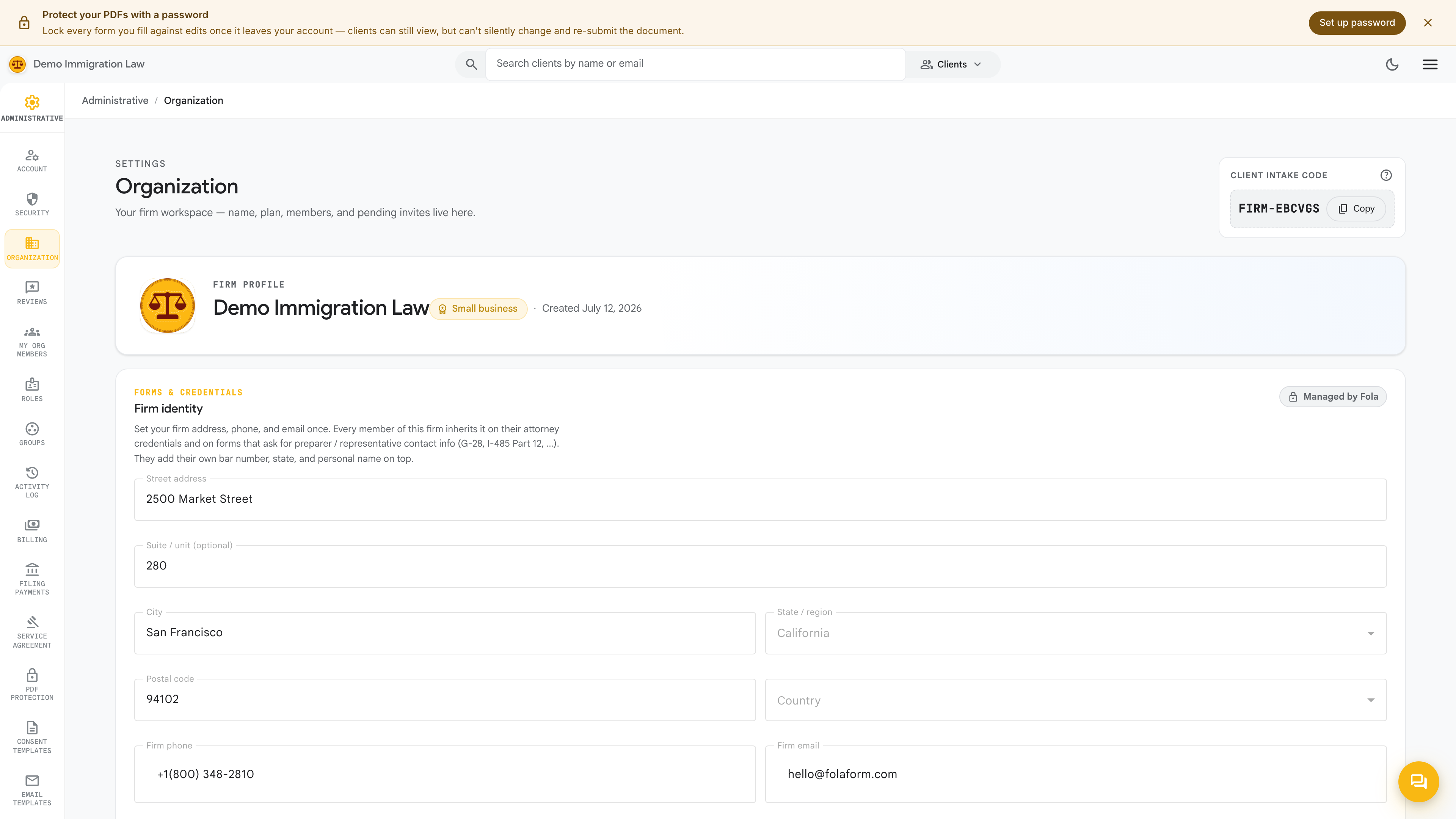
This is the source of truth for your firm’s identity. Review and adjust:
- Display name — what shows in the topbar and on client emails
- Legal name — the formal entity name (e.g. “Acura Immigration Law, PLLC”); appears on filings and engagement letters
- Address — street, city, state, zip; lands on every letterhead
- Phone & website — surface on cover letters and email signatures
- Logo — appears top-left in the workspace and on every PDF cover letter
Save, then refresh the workspace to confirm the topbar updated.
Logo & letterhead
Section titled “Logo & letterhead”The cover letterhead stapled to the top of every filing inherits automatically from your Organization record — logo, legal name, and address. There’s no separate letterhead surface to maintain; keep the Organization page accurate and the letterhead follows.
If you want a more elaborate letterhead — a tagline, partner names, a bar-admission line — add that copy in the letterhead section of the Organization page.
Email templates
Section titled “Email templates”Open Administrative → Email templates:
These are the outbound emails your firm sends clients — intake requests, document requests, status updates, filing confirmations. Each is template-driven with substitution variables (client name, case name, appointment date), and you can customize the body, the from-name, and the reply-to per template.
The defaults are plain-English starters that work as-is. Come back and tune them as your firm settles on its voice — you don’t have to customize all of them at once.
Consent templates
Section titled “Consent templates”Open Administrative → Consent templates:
Consent templates are the firm–client agreements your clients sign — engagement letters, scope-of-work, retainers, fee schedules. A starter set ships covering the most common practice areas; edit any of them, mark some active and others inactive, or add your own.
When a client signs (a drawn signature on a canvas pad), the signed PDF attaches to that client’s profile and is bound to that specific client.
What’s next
Section titled “What’s next”Your brand is applied end to end. Next, capture each member’s credentials so they flow into the right signature blocks.
Was this page helpful?
Thanks — noted.