

Header & quick actions
The pinned bar on every tab — name, age, email, the Actions menu, intake link, archive. Read →
Almost every workday in your firm’s workspace lives on one client’s page — their record, their case, their documents, the forms you’ve filed, the agreements they’ve signed, the emails you’ve traded. This section walks you through every tab so you can find what you need without hunting.
From the workspace, use the client search box in the branded topbar,
or open Clients and click any name. The client page opens with the
header bar pinned at the top and the tab strip just below it. The URL
looks like demo.folaform.com/workspace/clients/[id] on your branded
host — bookmark the clients you work every day so you can jump straight
in.
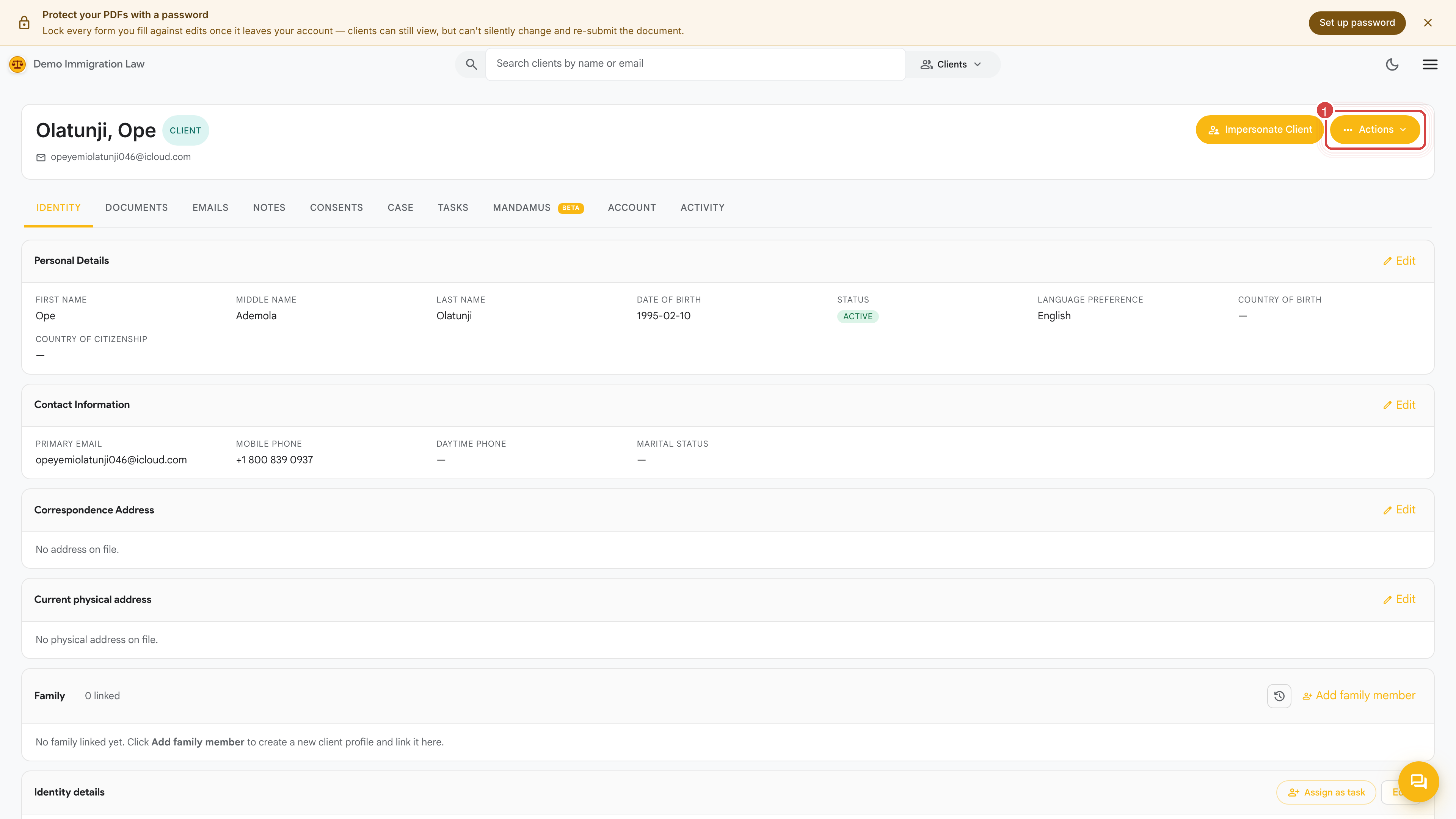
The tabs along the top let you move between every part of the client’s file. They’re listed left to right roughly in the order you’ll touch them on a new matter.
Header & quick actions
The pinned bar on every tab — name, age, email, the Actions menu, intake link, archive. Read →
Identity
The structured client record every form pulls from — personal info, addresses, family, employment, education, immigration and tax history, disclosures. Intake answers land here too. Read →
Documents
The encrypted file vault — passports, IDs, evidence, finalized forms, signed agreements. Read →
Emails
The log of every email sent to and received from this client, plus a composer that uses your firm’s templates. Read →
Notes
Private case notes for your firm. Never shown to the client, never printed on a form. Read →
Consents
Engagement letters, retainers, translator certificates — anything the client has signed. Read →
Case
The named matter: deadlines, evidence, timeline, form fill and filings, e-signature, interview prep, and fees — all in one place. Read →
Tasks
Per-client to-dos assigned to firm staff, with due dates and status. Read →
Mandamus (beta)
A per-client starting point for a federal-court mandamus when a case has stalled. Read →
Account
The client’s own portal access for this file — invite, resend, revoke. Read →
Activity log
A timestamped record of everything that touched this client — edits, uploads, filings, signings, logins. Read →
A couple of things you might expect here live elsewhere:
Thanks — noted.