

PDF protection
PDF protection applies a firm-wide password to the PDFs your workspace generates. With it on, clients can open and read a document but can’t edit it and re-submit a tampered copy.
Open Administrative → PDF protection.
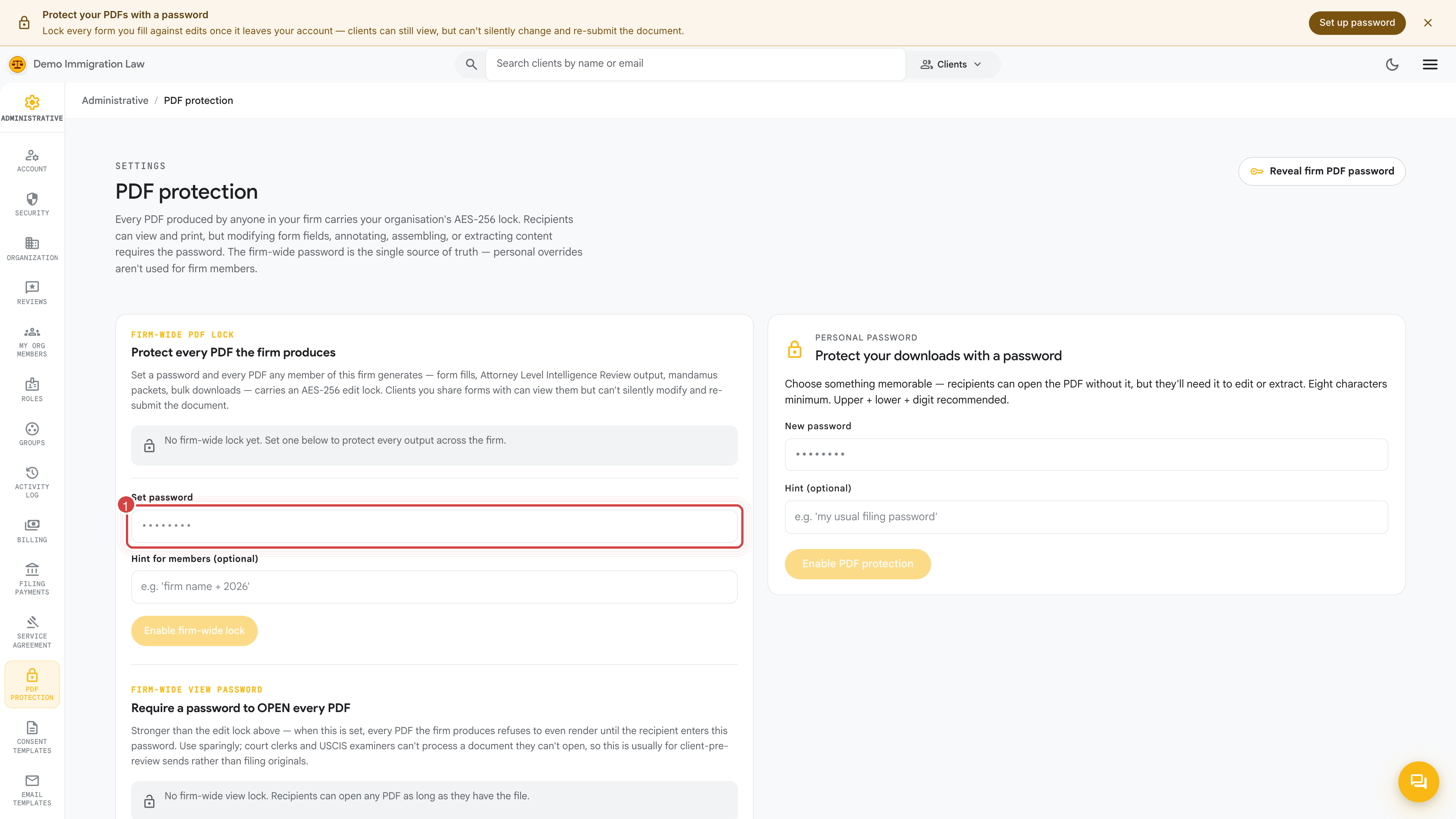
Setting the password
Section titled “Setting the password”Enter a firm-wide password and save. From that point on, every PDF the workspace generates is encrypted with it. Recipients open the document with the password (or read it straight from the client portal); the encryption is what stops the file being edited and passed off as authentic.
Rotating the password
Section titled “Rotating the password”Change the password from this same page. Only owners and admins can rotate it, and the change is recorded in the Activity log.
Rotating affects only new PDFs. Documents generated under the old password stay encrypted with that old password — rotating doesn’t re-encrypt anything already produced.
If you’ve lost the current password
Section titled “If you’ve lost the current password”Set a new one here so future PDFs are covered. For older PDFs still locked with the lost password, reach out to your Fola contact — a bulk re-encrypt against your firm’s existing PDFs with the new password can be arranged once firm ownership is confirmed.
Was this page helpful?
Thanks — noted.