

Tasks tab
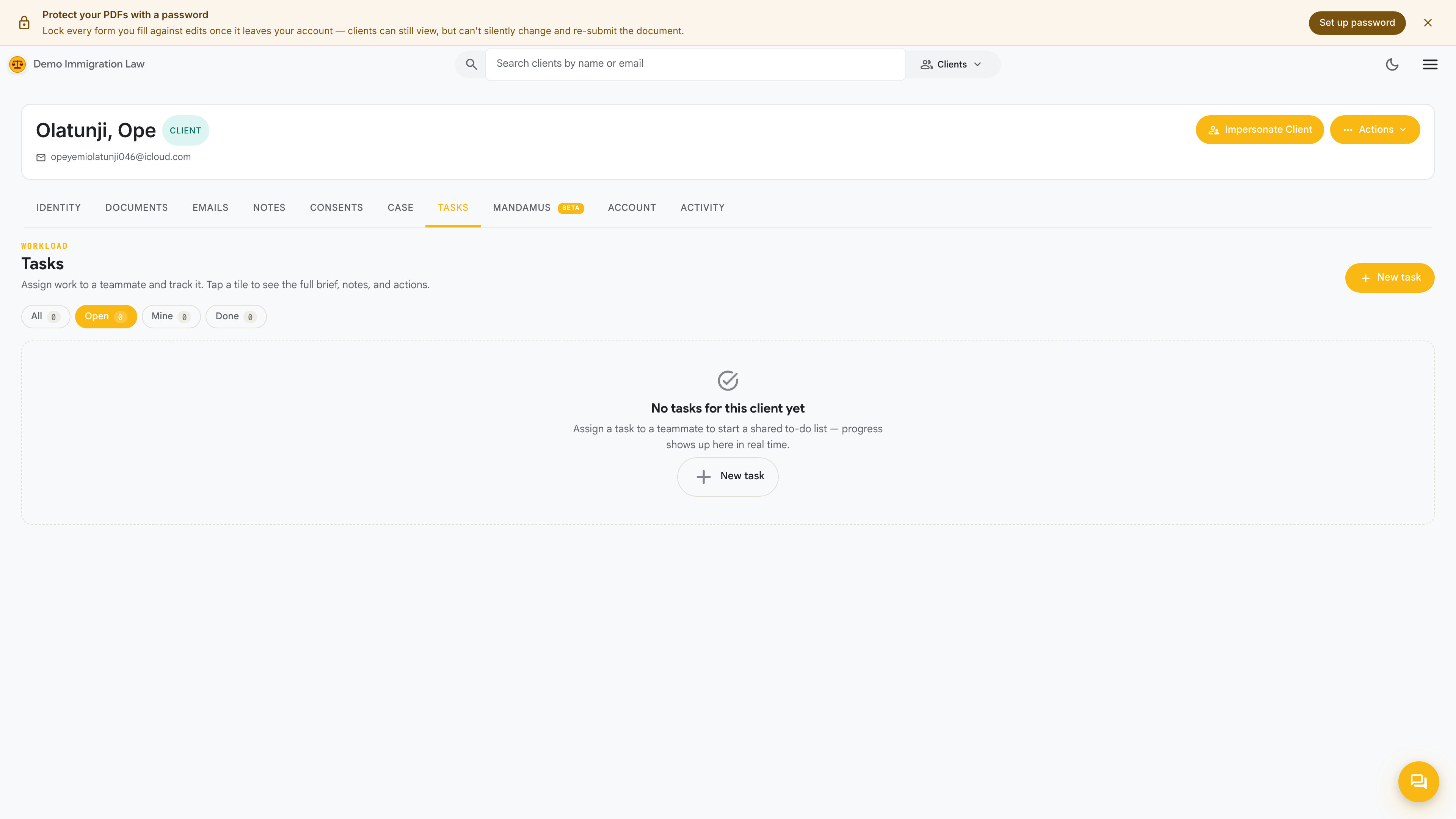
The Tasks tab is the to-do list for this one client. It’s how your firm tracks the small, human follow-ups that keep a matter moving — call the client back, chase a missing document, confirm an address — assigned to a specific staff member with a due date.
Creating a task
Section titled “Creating a task”Click New task and fill in:
- What needs doing — a short title, e.g. “Get certified translation of marriage certificate”.
- Assignee — the firm member responsible. Defaults to you; reassign to anyone with access to this client.
- Due date — when it’s needed. Overdue tasks are flagged.
- Notes — optional detail for whoever picks it up.
Working a task
Section titled “Working a task”Each task row shows its title, assignee, due date, and status. From the row you can:
- Mark done — completes it and stamps who closed it and when.
- Reassign — hand it to another member.
- Edit — change the title, due date, or notes.
- Delete — remove a task created by mistake.
Tasks and cases
Section titled “Tasks and cases”Tasks are a good fit for the loose follow-ups that don’t belong on the formal case timeline — the phone calls and reminders between filing milestones. When a task represents a real filing step (a form to draft, a signature to collect), track that on the Case tab instead, where it counts toward the case checklist.
Was this page helpful?
Thanks — noted.