

Billing
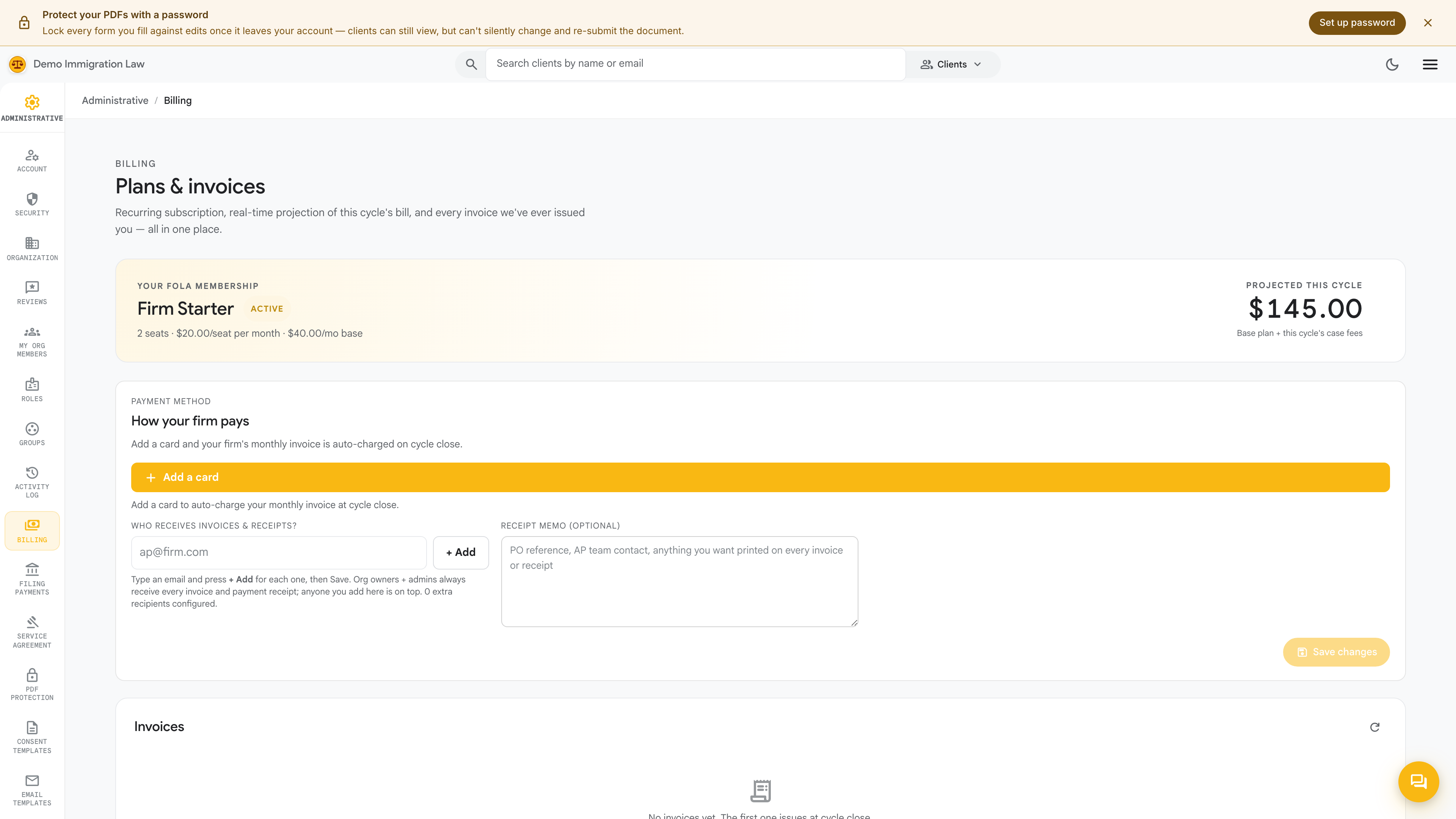
The Billing page is where you manage your firm’s own subscription to the tenant portal: the plan the firm is on, the card the firm pays with, and the invoices the firm has been issued. It’s visible to the firm owner only.
Open Administrative → Billing.
Your plan
Section titled “Your plan”The top of the page shows the plan your firm is currently on and its renewal date. Your subscription and the terms of your plan are set for your firm; this page is where you see the plan in effect and manage the billing that keeps it active.
Payment method
Section titled “Payment method”Add or update the card the firm pays with under Payment method. Keeping a valid card on file is what prevents an interruption at renewal — if a charge can’t be collected, update the card here and the next billing attempt uses it.
Invoices
Section titled “Invoices”Every invoice the firm has been issued is listed here with its date, amount, and status, and each one can be downloaded as a PDF for your records or your accountant. Paid, pending, and any past-due invoices all appear in the same history.
If a charge fails
Section titled “If a charge fails”If a payment can’t be collected, the subscription is flagged so you can act before access is affected. Update the card under Payment method and the next billing attempt runs against the new card. If anything about a charge looks wrong — a duplicated line, an amount you don’t recognize — reach out to your Fola contact rather than disputing it with your card issuer; it’s resolved faster directly.
Was this page helpful?
Thanks — noted.