

Security & sign-in
The Security page controls how you sign in to the firm’s workspace: your password, your second factor, passkeys, the browsers you trust, and how long a session lasts. It’s a personal page — every member has one, and it governs only your own sign-in.
Open Administrative → Security.
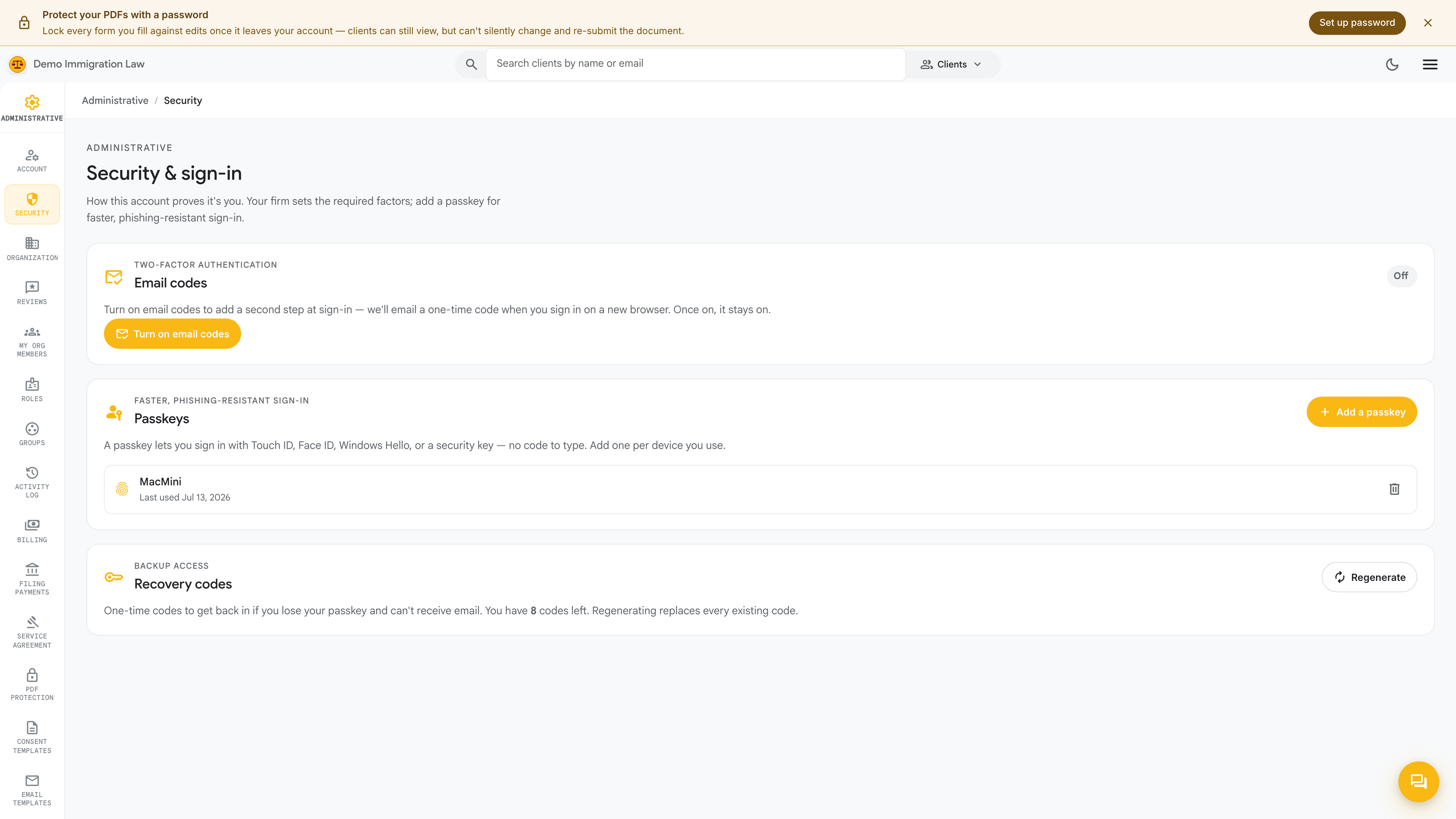
Password
Section titled “Password”Change your password here. Pick something long and unique to this workspace, and store it in a password manager rather than reusing a password from another service.
Two-factor authentication
Section titled “Two-factor authentication”Add a second factor so a password alone can’t sign in as you. Once enabled, sign-in asks for a one-time code after your password. If a code isn’t arriving:
- Confirm the phone number or authenticator is the one you enrolled.
- For an authenticator app, make sure your device’s clock is set to automatic — time-based codes need an accurate clock.
- Keep your recovery codes somewhere safe as a fallback.
Passkeys
Section titled “Passkeys”If your firm has passkeys enabled, you can register one and sign in with your device’s biometrics or PIN instead of typing a password. A passkey can complete a sign-in on its own, and it’s phishing-resistant by design. Email remains the account floor even with a passkey enrolled.
Trusted browsers
Section titled “Trusted browsers”When you sign in from a browser you use regularly, you can mark it trusted so you’re not challenged for a second factor every time on that device. Review the list of trusted browsers here and remove any you no longer recognize or use — a shared or public computer should never stay trusted.
Sessions
Section titled “Sessions”Your session runs against your firm’s branded host. If you’re signed in but every action suddenly returns a “not authenticated” error, your session has expired — sign out completely and sign back in to get a fresh one. Work in progress is safe: form drafts auto-save as you go, so a timed-out session doesn’t cost you what you’d typed.
What’s firm-wide vs. personal
Section titled “What’s firm-wide vs. personal”Everything on this page is yours alone. Firm-wide access — who’s a member, what roles they hold — lives on Members & roles, and every security-relevant change across the firm is recorded in the Activity log.
Was this page helpful?
Thanks — noted.