

Organization & brand
Your workspace is white-labeled: it runs at your firm’s own branded host and carries your name, not a generic vendor’s. The Organization page is where that brand is defined once and then flows everywhere — the topbar, client-facing emails, and every PDF the workspace generates.
Open Administrative → Organization.
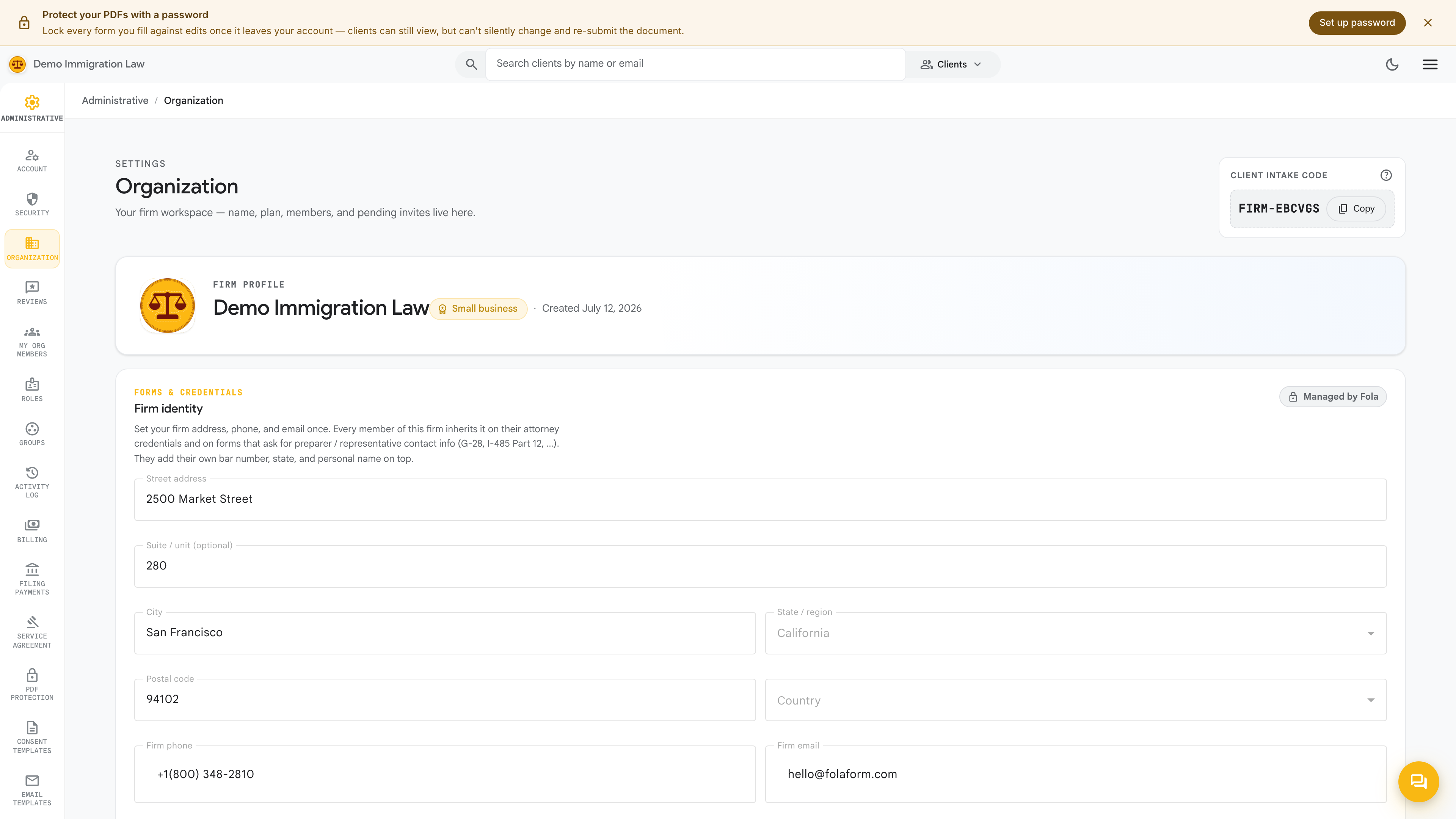
Firm details
Section titled “Firm details”Fill in the details that identify your firm:
- Display name — what shows in the topbar, on emails to clients, and on cover letters.
- Legal name — the formal entity name (for example, “Acura Immigration Law, PLLC”); appears on filings and engagement letters.
- Address — street, city, state, zip; lands on every letterhead.
- Phone & website — surface on cover letters and email signatures.
Save, then refresh the workspace and confirm the topbar name updated.
Upload your firm’s logo — PNG or SVG. It appears top-left in the branded topbar and on every PDF cover letter.
Brand colors
Section titled “Brand colors”Set your firm’s brand colors so the workspace and client-facing surfaces match your identity. The accent color threads through buttons, links, and highlights across the portal and the client portal your clients sign in to.
The branded host
Section titled “The branded host”Your workspace lives at your firm’s own host — the demo firm runs at
demo.folaform.com, and your production firm runs at the subdomain or
domain provisioned for you. That host is what your clients see in
intake links and portal invitations, so every touchpoint reads as your
firm.
Letterhead
Section titled “Letterhead”The cover letterhead — the page stapled to the top of every USCIS submission — inherits automatically from the fields above: logo, legal name, and address. There’s no separate letterhead editor; everything flows from this page.
If you want a more elaborate letterhead (a tagline, partner names, a bar-admission line), add that extra copy in the Letterhead overlay on this page.
How your brand shows up
Section titled “How your brand shows up”Once the Organization page is filled in, your brand appears in three places automatically:
- The portal — topbar name, logo, and accent color for everyone at the firm and every client who signs in to the client portal.
- Client emails — the from-name, signature, and header carry your firm’s identity.
- Generated PDFs — cover letters, engagement letters, and consent documents render your logo, legal name, and address.
Was this page helpful?
Thanks — noted.