

Mandamus tab
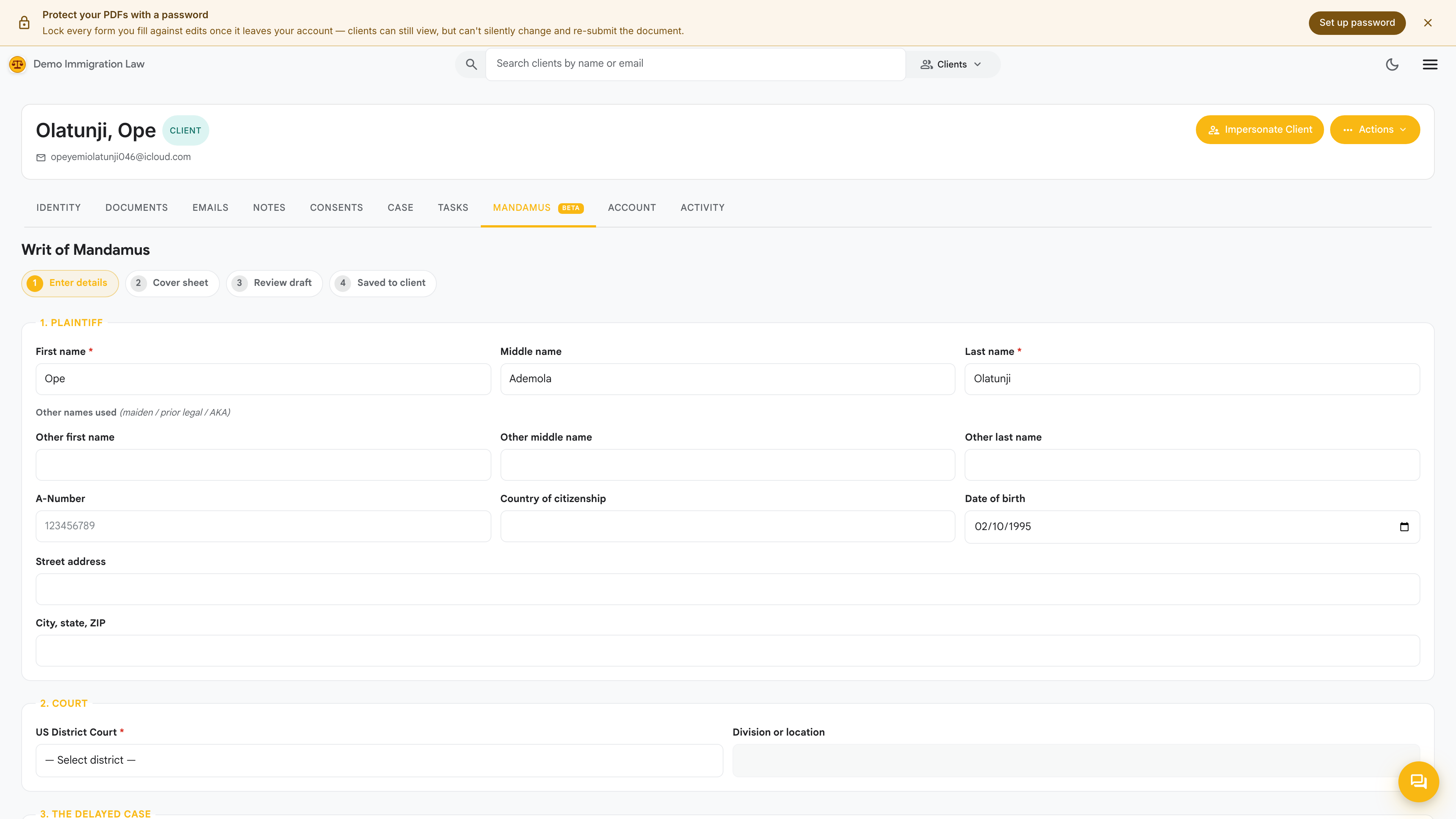
The Mandamus tab is a per-client starting point for a writ of mandamus — the federal-court action that asks a court to compel USCIS to decide a case it has held unreasonably long. From here you can kick off a mandamus for this specific client without leaving their page.
When a mandamus fits
Section titled “When a mandamus fits”Consider a mandamus when:
- A filing has been pending well beyond the posted processing times for its form and field office.
- Normal follow-ups — case inquiries, the USCIS contact center, an Ombudsman request — have gone nowhere.
- The delay is causing the client real harm and the client wants to press the point in court.
This is a significant legal step and firmly an attorney judgment call. The tab helps you assemble the paperwork; it doesn’t decide whether a mandamus is the right move.
Starting from this tab
Section titled “Starting from this tab”From the client’s Mandamus tab you can:
- Start a mandamus for this client, pre-filled with what’s already on their record — the delayed filing, receipt number, and the client’s identity details.
- See any mandamus already in progress for the client and jump back into it.
Once started, the fuller drafting, evidence, and signing workflow runs on the firm-wide Mandamus jobs surface.
The full mandamus tooling
Section titled “The full mandamus tooling”The detailed work — assembling the complaint, editing its sections, attaching exhibits, signing, and arranging certified mail — happens on the dedicated Mandamus jobs page in the nav menu. See Mandamus jobs for the complete workflow. The tab here is just the shortcut to launch or resume one for this client.
Was this page helpful?
Thanks — noted.